

Answers from your syllabus
Not the open internet. The tutor reads the key knowledge points of the subject you're in, so an explanation matches the course you're being examined on.
Turn today’s effort into exam-day confidence — a focused daily loop built around your subjects, your weak spots and the way memory works. Real past-exam questions, spaced repetition, honest readiness tracking, revision plans for your SACs, IAs and other school tasks, and a tutor that answers only from your syllabus and shows you the point it came from. For Year 11 and 12 students in every Australian state, working toward your ATAR.
No card required, no auto-charge.
Each day the app composes a single session for you and snapshots it, so refreshing the page won’t shuffle your work. Small and daily beats big and occasional.
Quick flashcard retrieval first. You pull facts from memory before you look, because recalling beats re-reading.
The reviews your memory is about to drop, scheduled by FSRS spaced repetition. Miss one and it's re-asked from memory until you get it right.
Targeted past-exam questions on the key knowledge points costing you the most marks right now.
Set a daily target from 5 to 120 minutes. The ring fills with real engaged study time, not time with the tab open.
Streaks that forgive. Finishing your loop keeps the streak alive, with grace until midnight.
Paced to your exam. Your planner spreads the remaining work across the weeks left and shows the minutes per day it takes. As exam day nears, review gaps compress so nothing is scheduled past it.
New · Ask the tutor
Stuck on a point at 11pm? Ask. Answers are grounded in the syllabus your exam is actually set from, and every one of them shows you the point it came from. It would rather tell you it can't help than invent something.
Not the open internet. The tutor reads the key knowledge points of the subject you're in, so an explanation matches the course you're being examined on.
Each reply names the key knowledge point behind it. Tap the chip to open that point and drill it with real past-exam questions.
Ask something the syllabus doesn't cover and it declines, pointing at the nearest points it does cover. If it can't check its own answer against the point it cited, it tells you instead of answering.
Open it on a question you're attempting and it switches to hint mode. It will nudge you toward the next step, but it won't hand you the answer you're supposed to be finding.
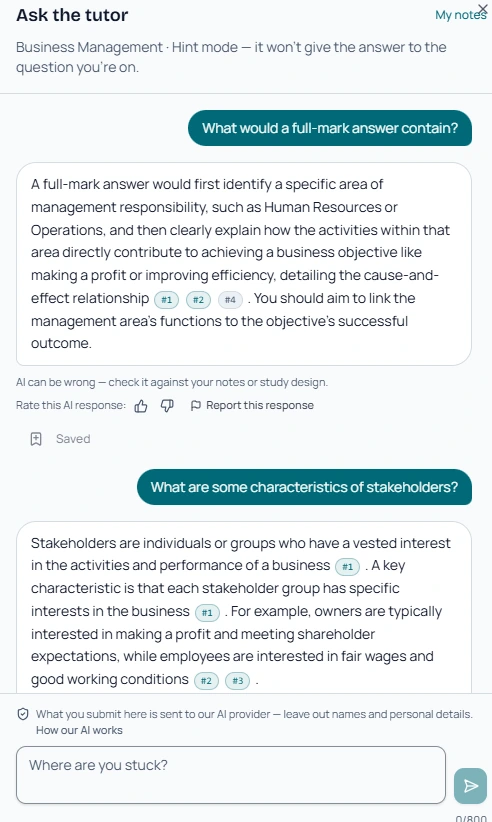
Save any answer to your notes with one tap. The note keeps its link to the syllabus point behind it, so revisiting a saved explanation puts you one tap from practising it. Search them inside a subject, or read every note across your subjects in one place.
Uses your AI credits. Each answer spends credits from your plan's monthly allowance. Like any AI it can be wrong, so check anything important against your official course materials.
New · SACs, IAs and school tasks
A school assessment has its own date, covers one or two areas, and no past paper previews it. Tell the app about it and the plan aims at that date instead: revision packs for each point in scope, a status for every one, and three things to do today.
A name, the date, the areas your teacher named, open or closed book, tech-free or tech-active, and a quick shaky / getting there / confident rating per area. Whether your state calls it a SAC, an IA or an assessment task, it's the same three steps.
One or two pack questions from each area, answered on the ordinary quiz page so they count as evidence. The result sits beside your own rating, and you choose which the plan starts from.
Where a pack is published: a note keyed to the command verb with a cue question to answer before you read, a diagram to redraw from memory with a word bank and fading hints, flashcards, and a closed-book quiz. Each point climbs the ladder on evidence, never on one right answer.
The plan names three actions for the day and ticks them off; near the task it switches to consolidating. Sit a free practice version assembled from pack questions in the shape of your task, and retry every miss from the wrong-answer notebook.
Earned on evidence, and the same words you see on the plan.
Past papers stay out of it. Your school writes its own task, so past external-exam questions are never used for one. Packs are drafted from the syllabus and reviewed before they're published.
AI extras use your credits. An AI-written practice assessment, or more questions on a point, is optional. The cost is shown before you confirm, only you can see the result, and like any AI it can be wrong.
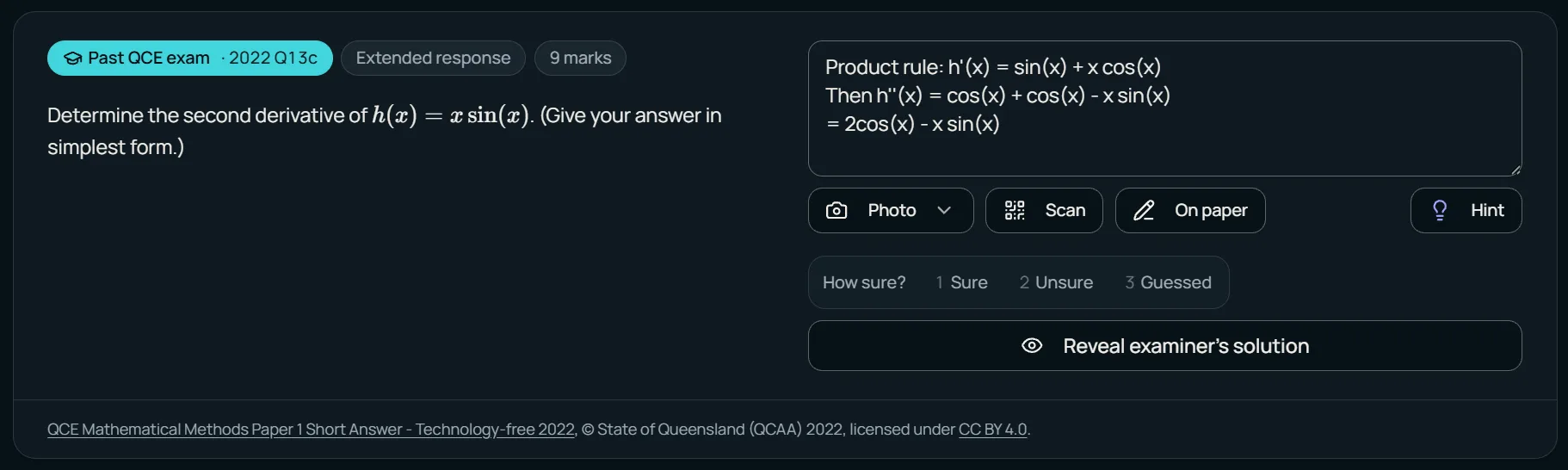
Every question is a chance to practise the way marks are earned.
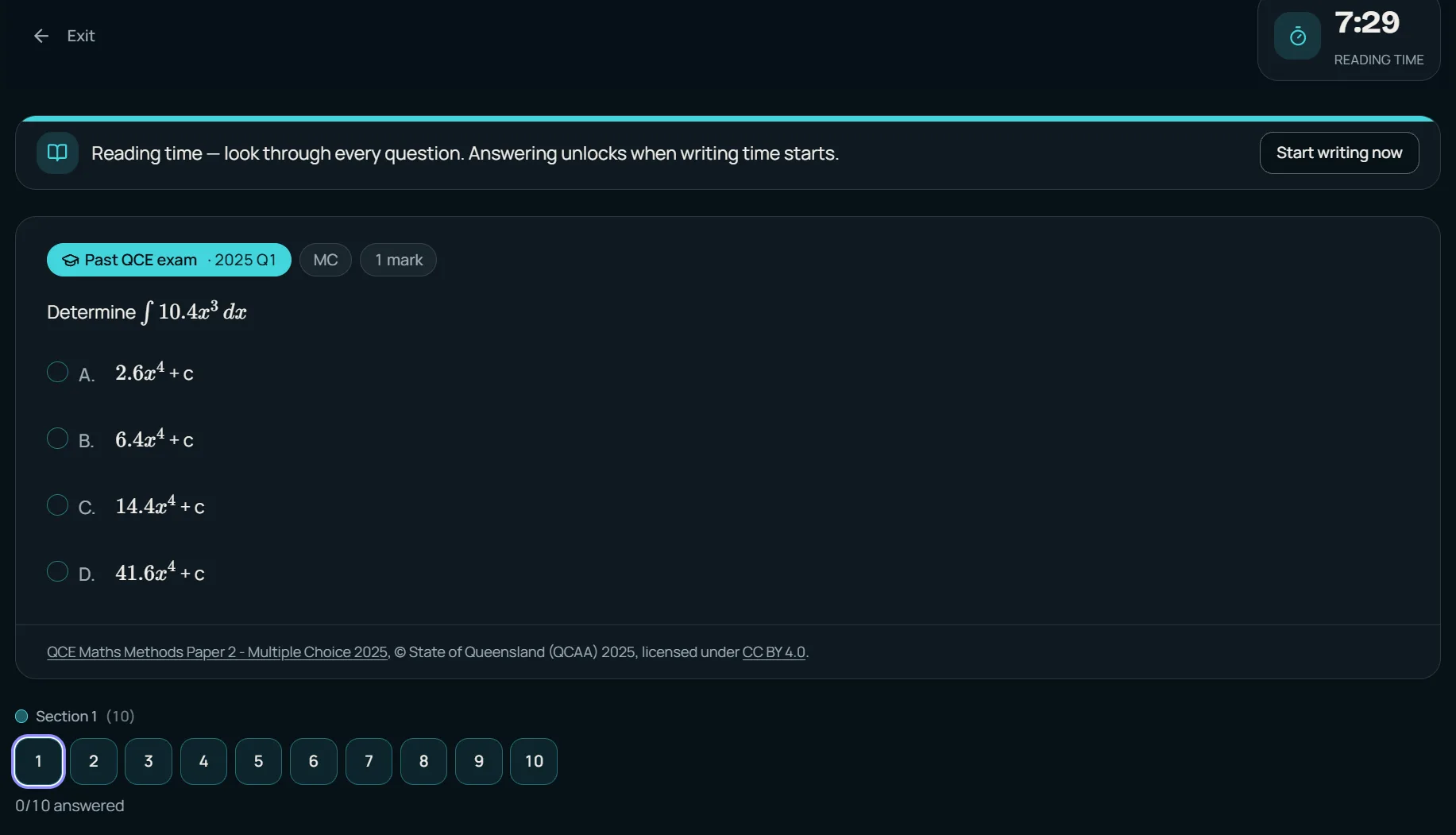
Knowing the content and performing in an exam are different skills. Train both.
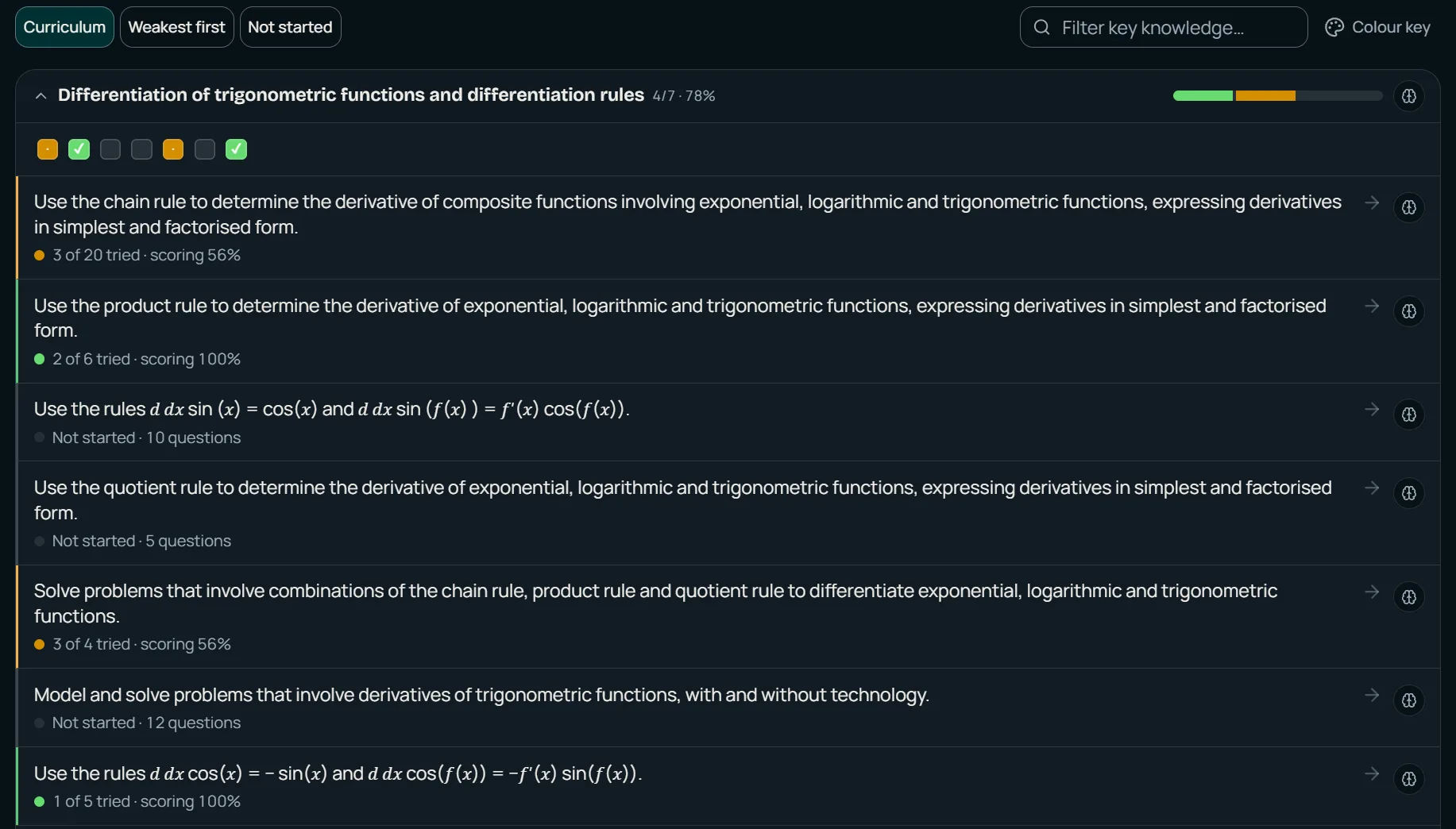
The study design, point by point. Nothing in the course goes unchecked.
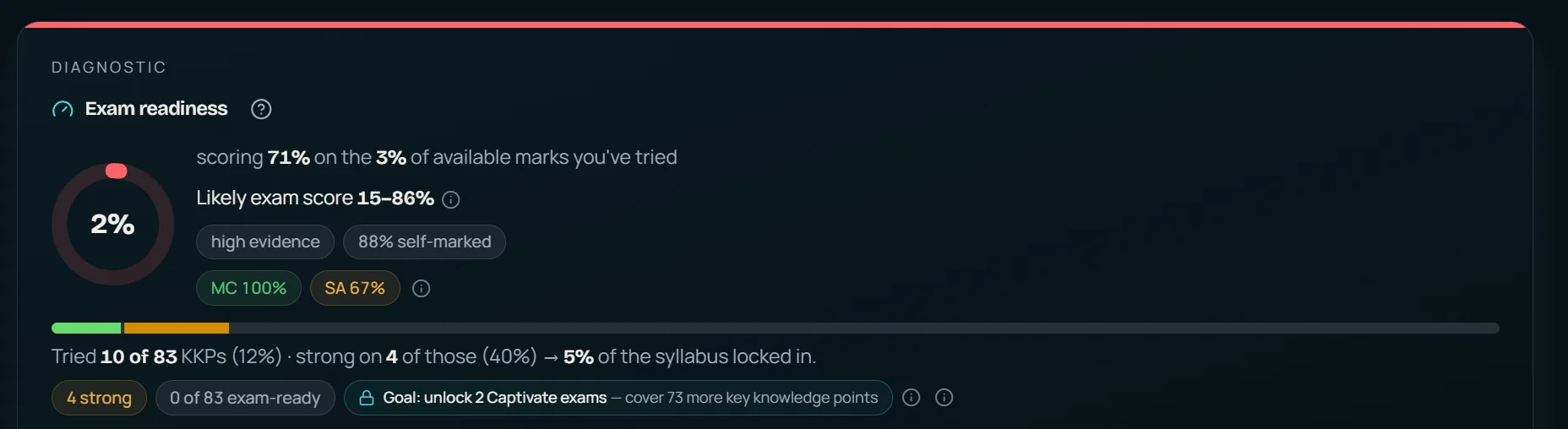
Honest numbers about your preparation — a compass, not a promise.
Calendar & study planner
You set the dates. The app works out what to cover each week, how many minutes a day that takes, and what is coming next, so the question of what to do tonight is already answered.
Every key knowledge point is costed by how far it is from exam-ready. The most at-risk work is scheduled first, spaced reviews are projected so nothing fades before exam day, and the final week is kept for reviews and timed practice. It rebuilds itself as you improve.
The plan turns into a “minutes per day to be ready” figure. It sits on the subject's Progress tab and beside the goal ring on Today, so the ring fills against what the plan actually needs.
The Calendar opens on a Next up card: the nearest exam or school task with its countdown, one action to prepare for it, and the sessions you've planned before it. Missed sessions sit underneath to tick off or move.
Plan a session with a subject, an optional topic, a day and a length. Study that subject on that day and the session is ticked for you. The month shows planned sessions beside the practice you actually did; on a phone it becomes a dated list.
Dates come from where you set them. Exam dates live on each subject's Progress tab and task dates on its School tasks tab. The Calendar reads them; it never invents a deadline.
Planning is not studying. The goal ring and the calendar's practice dots move only when you actually practise. Planned sessions are kept on the device you planned them on; your minutes and practice sync everywhere.
New · QCE English & EAL
Sit a past External Assessment essay task, mark it against the official QCAA marking guide yourself, then see where an AI examiner agrees and where it doesn't. It's a calibration tool, not an auto-marker: your marks stay yours.
A past EA task on your prescribed text, with an 800–1000 word target. Plan in private notes that are never sent to the AI, then write in the app, or photograph your handwritten pages and check the transcript.
Reveal the official QCAA marking guide and pick a band for every criterion, with a running total out of 45. Nothing is pre-filled, because judging your own work against the guide is where the learning happens.
The comparison unlocks only once you've marked every criterion. The AI suggests a band and a short comment for each, shows exactly where it differs from you, and lists what would lift the essay, sometimes drawing on that year's QCAA subject report.
Adopt the AI's band on a criterion or keep your own. It is never applied for you. Over time, Progress shows your estimated EA mark out of 45, your weakest criterion, and whether you tend to mark yourself above or below the AI.
Uses your AI credits. Each comparison spends credits from your plan's monthly allowance, the same pool as other AI features.
Teacher-checkable. Took the essay to class? Tick “a teacher reviewed this mark” and it counts for more in your progress estimate.
Every mechanic in the app — what comes back, when, and in what form — implements a finding from the learning-science literature. Here’s the structure, with the receipts.
Forgetting follows a power law: steep at first, then flattening. Every question and card is scheduled with FSRS, a modern spaced-repetition algorithm that models how each item settles into your memory. It brings the item back as your chance of recall dips toward 90%. As your exam approaches, the gaps compress so nothing is scheduled past exam day.1,2
Testing yourself beats re-reading, one of the most reliable effects in learning science. Reviews of the evidence rate practice testing among the most useful study techniques and highlighting among the least. That's why solutions stay locked until you've attempted, and why every session starts by pulling answers from memory.3,10
Mixing confusable topics helps because it forces you to tell them apart. Mixed sets interleave sibling knowledge points A–B–A–B instead of blocking them, which is where the measured benefit comes from.4
Getting something right once isn't the same as knowing it. Missed reviews are re-asked from memory until correct, and relearning gets cheap fast. A concept that took minutes to learn takes moments to refresh.5
Explaining an answer in your own words strengthens it. Rating your confidence before revealing exposes the most dangerous gaps: the ones you're sure about but wrong on. Both are built into every question.6
Unrestricted AI help can raise practice scores while lowering exam scores. So our hints climb one rung at a time: strategy first, nudge second. They never hand over the answer before you've attempted the question.7
Under the analytics, your readiness is a Bayesian estimate with a credible interval. It weights recent evidence more heavily than stale evidence, because mastery decays. Treat it as a compass, not a promise: it guides where to focus, it doesn't guarantee a grade.8,9
Want to apply the techniques yourself, app or no app? Our evidence-based revision guide walks through all six, citations included — or browse all the study guides.
$7 per subject a month, automatically capped at $17.99 for 3–6 subjects. You always pay the cheaper of the two. Start with a 3-day free trial: no card required, no auto-charge.
A typical subject load
$17.99 /month
for 5 subjects. The 3–6 subject cap means a full load costs the same as three subjects. Prices in AUD.
Something else on your mind? Browse all answers
Pick your subjects, set your exam dates, and let the first session build itself. You’ll be answering real exam questions in minutes.
No card required, no auto-charge.
Or watch first: the 5-part getting-started series.